
STUDY TIMER · POMODORO
Pick. Start. It keeps the record.
Lorebyte Timer is built on one idea: pick, start, and never lose a session — with the context of what you studied. Pomodoro or stopwatch, streaks and stats. Forget to stop or quit halfway — your study time is still saved.

FEATURES
Zero-friction time tracking.
One-tap start
Saved timers preset topic, tags, and Pomodoro settings. Quick start with 25/5, 50/10, 90/20 presets or your own custom setup.
Always visible
Time remaining stays on the Lock Screen and in the Dynamic Island. Idle alerts catch forgotten timers. Lives in the menu bar on Mac.
Intention and reflection
Note what you'll work on when you start; rate focus and comprehension when you stop. Everything is skippable.
Stats that keep you going
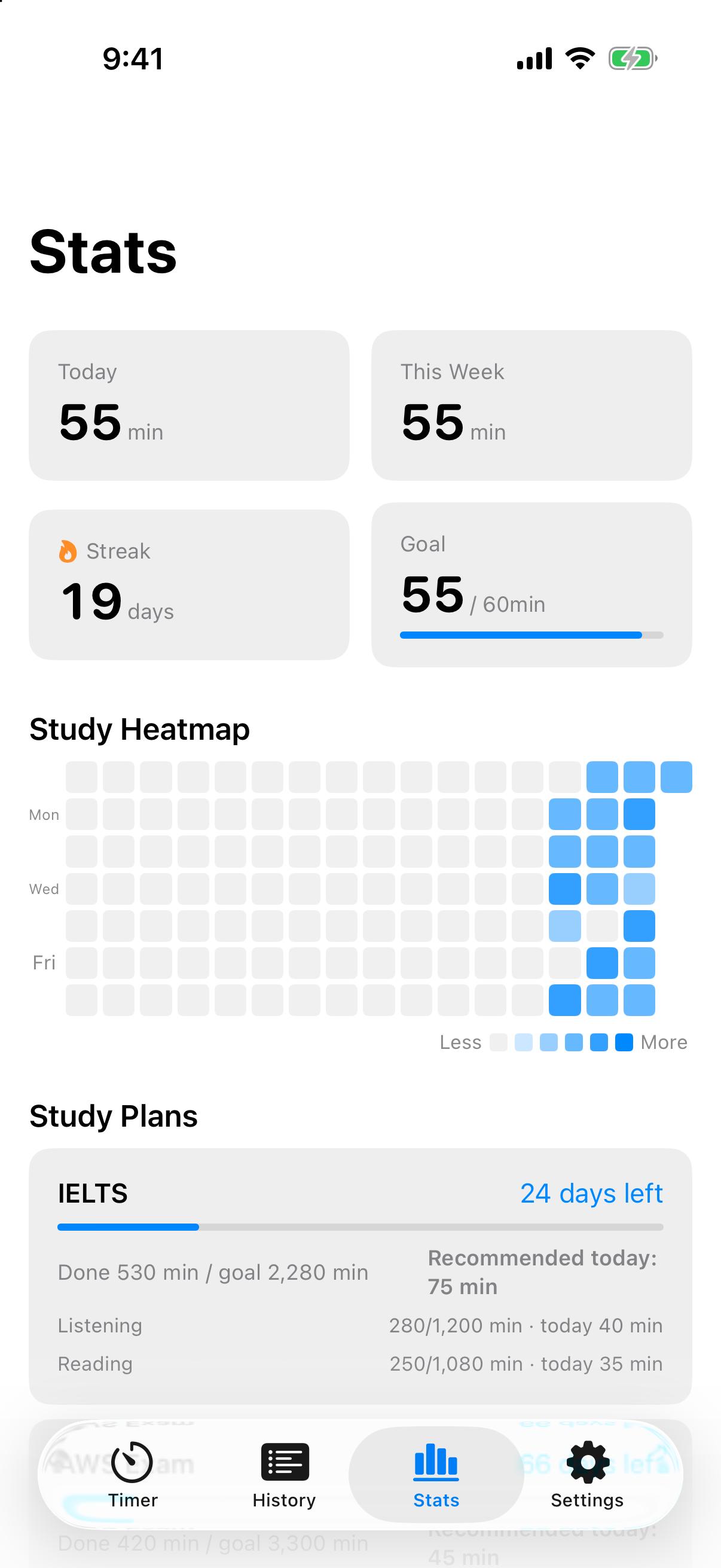
GitHub-style study heatmap, per-topic breakdowns, and streaks with a 2-day grace period — revive a broken streak with two sessions.
Plan backwards from exam day
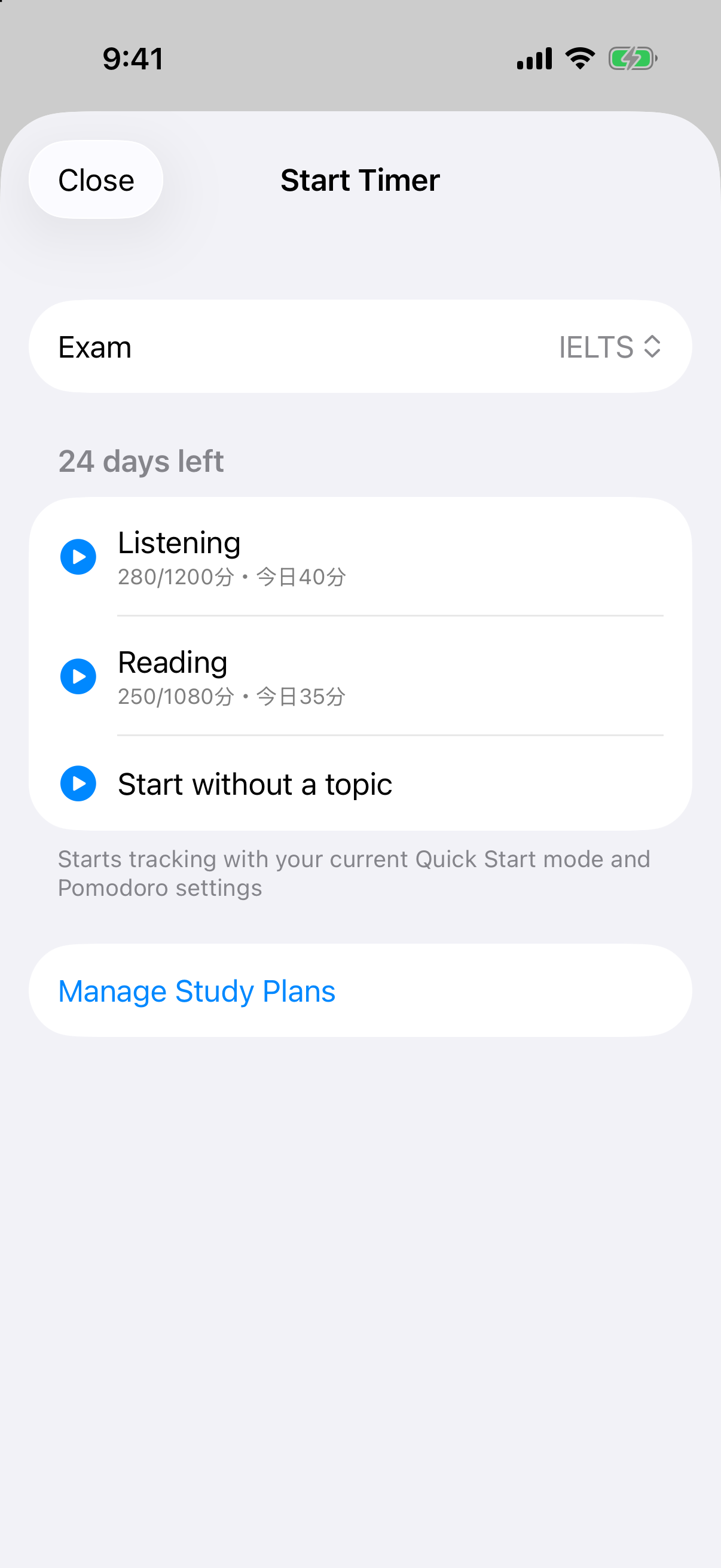
Register an exam date and per-topic goals, and the app calculates how many minutes to study today. Progress updates from actual tracked time.
Works with Lorebyte
Review time from the Lorebyte flashcard app is added to your study history automatically.
TIMER FACE
A timer face that fits you.
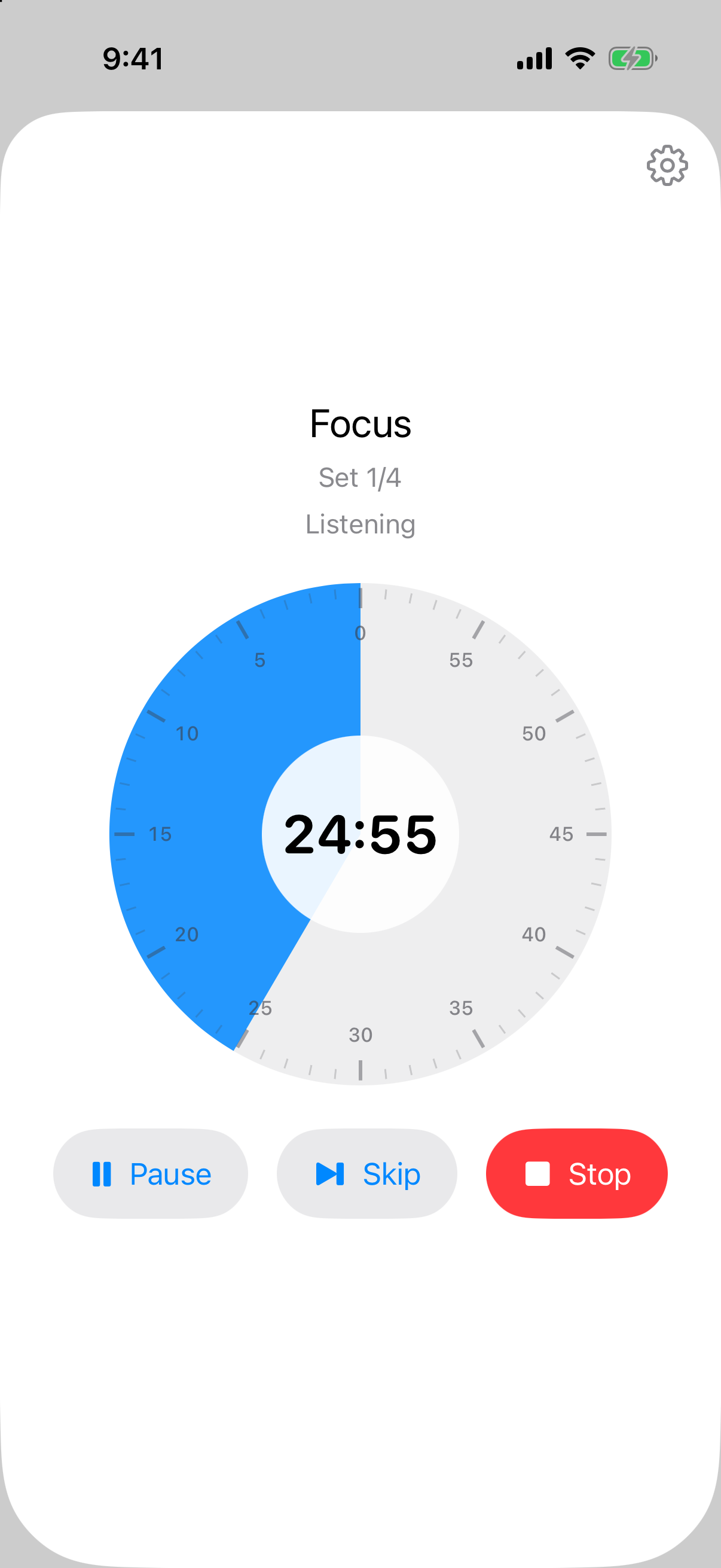
An analog-style disc where remaining time shrinks as a colored sector, big digital numerals, or a modern ring. What the screen shows — and how it sounds — is up to you.
- ✓ Three display styles — Choose digital, an analog disc (remaining time shown as a shrinking colored sector), or a ring — and switch on the spot while the timer runs.
- ✓ Show exactly what you want — Toggle phase, set count, topic, notes, and today's total individually. Turn everything off for an ultra-minimal, time-only display.
- ✓ Sound, haptics, and focus tools — Sound at loud, soft, or mute; haptics at strong, soft, or off. Plus break skipping, a last-minute color cue, keep-awake while timing, and a tap-to-immerse full view.
THE APP
Start, stats, and plans.
STUDY PLAN
Exam day decides today's workload.
30 days until TOEIC, with goals of 50 hours of math and 30 hours of English — register that, and the app computes a daily recommendation per topic. Tracked time counts down what remains.
- ✓ Per-topic goals — Set goals for multiple topics per exam and see each one's progress and daily recommendation.
- ✓ Progress from real tracking — No manual input. Timer sessions become plan progress automatically — even sessions you stop early.
- ✓ On your widgets — Days remaining and today's recommendation on the Home and Lock Screens, with a start button one tap away.
PRICING
Free for 7 days. Core features free forever.
$3.99 $4.99
Launch price through the end of September
One-time purchase (App Store pricing may vary by region)
- ✓ Unlimited topics and saved timers
- ✓ All-time stats and heatmap
- ✓ Automatic calendar export
- ✓ No subscriptions, no auto-renewal
After the trial, tracking, history, basic stats, and Lorebyte sync stay free forever.
FAQ
Frequently asked questions
Do I need the Lorebyte app? +
No. Lorebyte Timer is a complete study timer on its own. If you use Lorebyte, review time is added to your history automatically.
What's free? +
Tracking, history, basic stats, and Lorebyte sync are free without limits. The free tier only caps topics (3), saved timers (2), and the stats window.
What if I forget to stop? +
Records can be edited or added manually afterwards, and idle alerts catch long-running timers. Forgetting to stop never ruins your data.
Which devices are supported? +
iPhone and iPad (iOS/iPadOS 26+) and Mac (macOS 26+). Everything syncs through iCloud.